> For the complete documentation index, see [llms.txt](https://docs.spicychat.ai/llms.txt). Markdown versions of documentation pages are available by appending `.md` to page URLs; this page is available as [Markdown](https://docs.spicychat.ai/ios-app-notice.md).
# iOS App Notice
August 27, 2025
The SpicyChat iOS app has been removed from the App Store. Apple determined that the app does not comply with their guidelines. While we appealed, the chances of reinstatement are very low.\
\
If you already have the app installed, it will still work, until September 25, 2025. **After that date, you will lose access.** To avoid interruptions, please start using the service via our [website](https://spicychat.ai/).
Will I Lose My SpicyChat Account or Data?
No. Your account, characters, conversations, and settings are fully available on web. **Nothing will be lost when you switch to using the website.**
Can I Login with My iOS Account/Apple Login on the Website?
Yes! If you created your account in the iOS app, you can log in on our website with the same credentials, you can also continue to log in using Apple Login.
What Happens to My Premium Subscription?
If you subscribed to SpicyChat premium via our iOS app, you will need to re-subscribe on our website when your current subscription expires.
If you have trouble subscribing, please submit a [support ticket](/support.md#submit-a-ticket).
Will My Existing Subscription Automatically Renew?
No, existing subscriptions purchased via the iOS app will only remain active until their next scheduled renewal date. These subscriptions will no longer automatically renew.
Why Am I Having Issues Logging in to the Website With My Apple ID?
If you use Apple ID and have “Hide My Email” toggled on, switch it off and try again. If you still can’t log in, [submit a support ticket](/support.md#submit-a-ticket).
## Why Our Website is the Best Place to Chat
The SpicyChat website isn’t just a replacement for the iOS app — it’s an upgrade. Using our website comes with several advantages:
* **Faster Updates:** New features launch on the web first, no more Apple Store delays.
* **Quicker Fixes:** Bugs and issues are resolved on our website first.
* **Exclusive Features:** Advanced chat settings, experimental models, and more are only available on our website.
* **Mobile Optimized:** The website works seamlessly on mobile devices, including your phone!
### Save SpicyChat to Your Homescreen
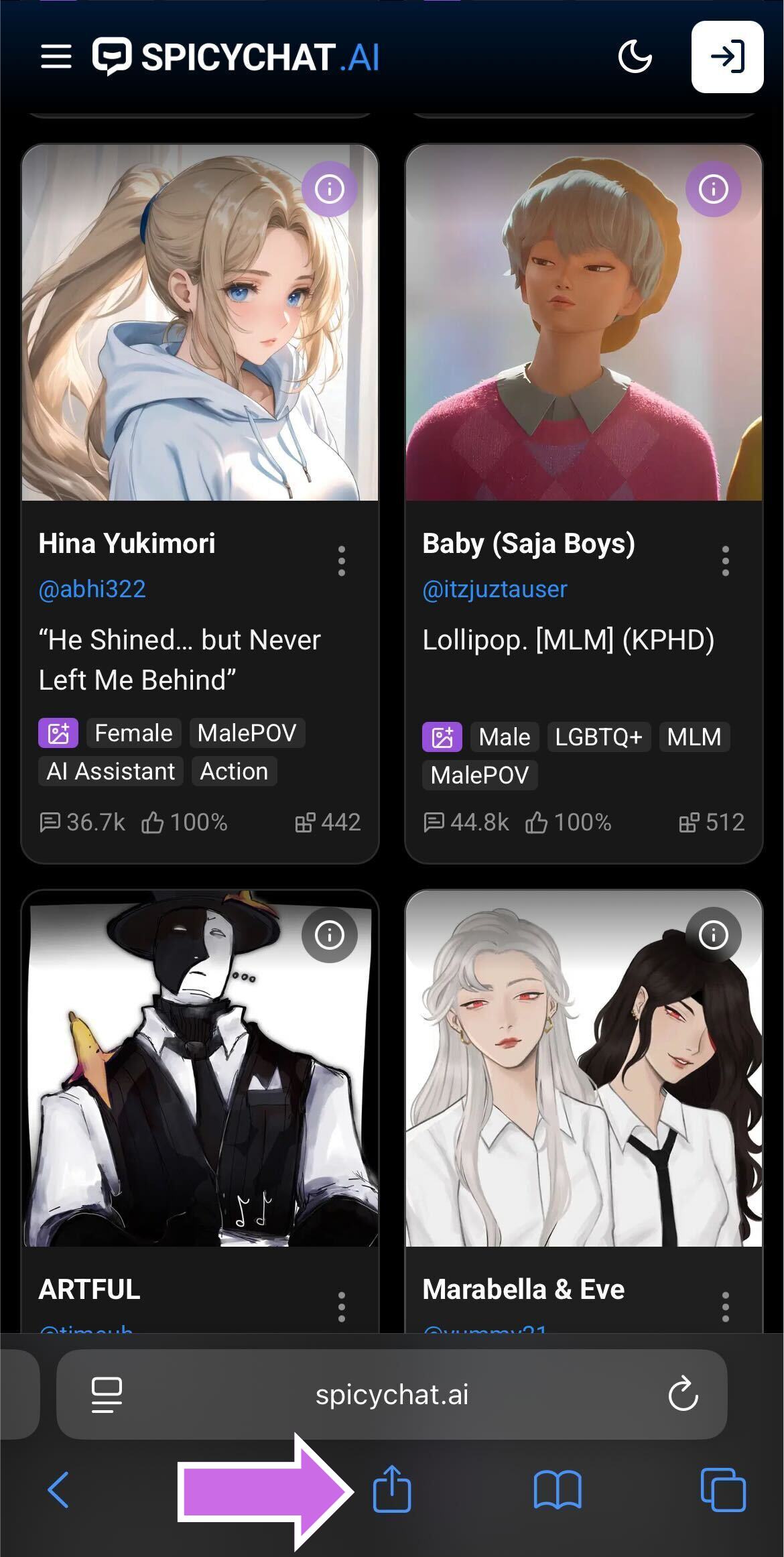
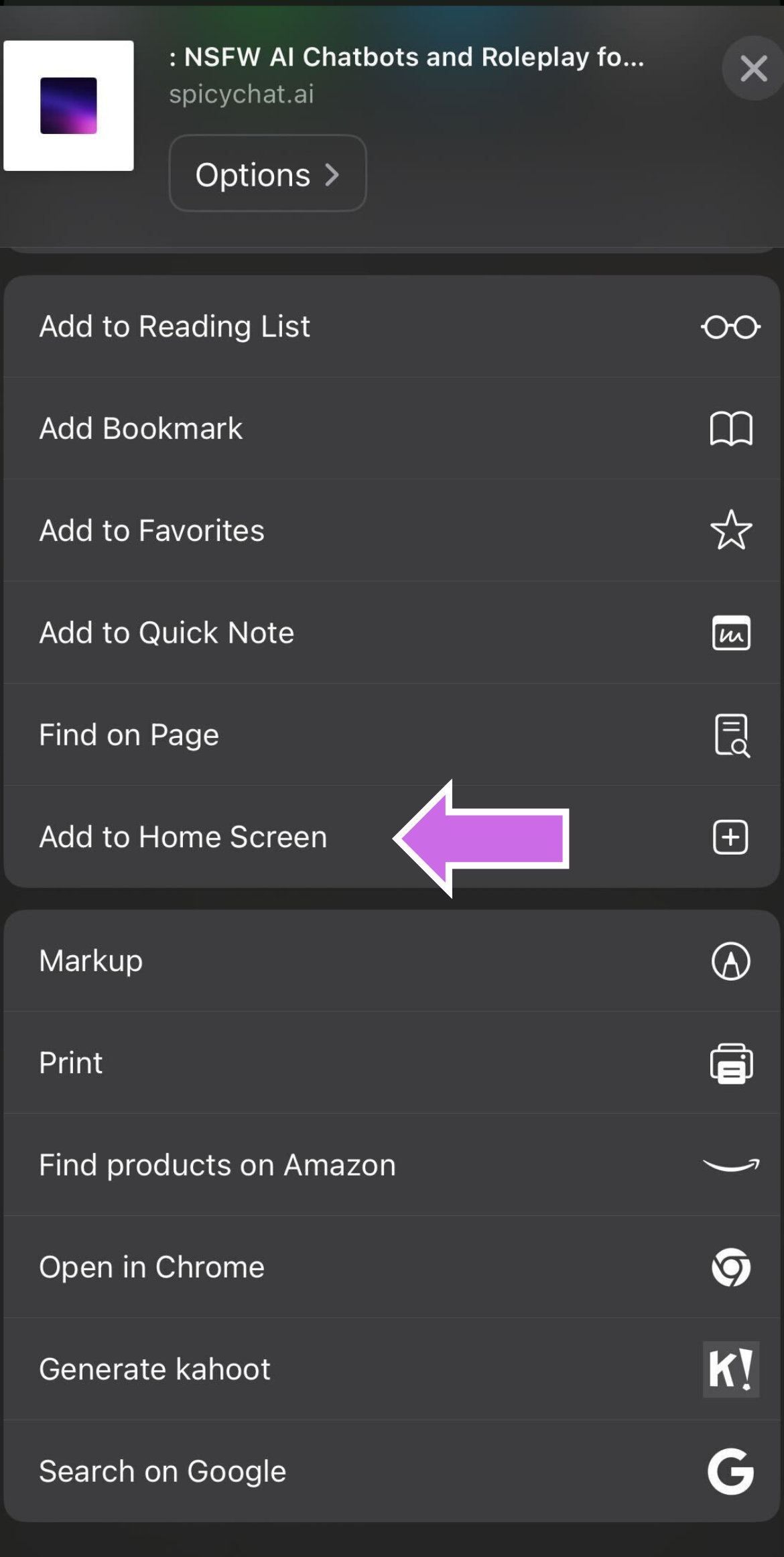
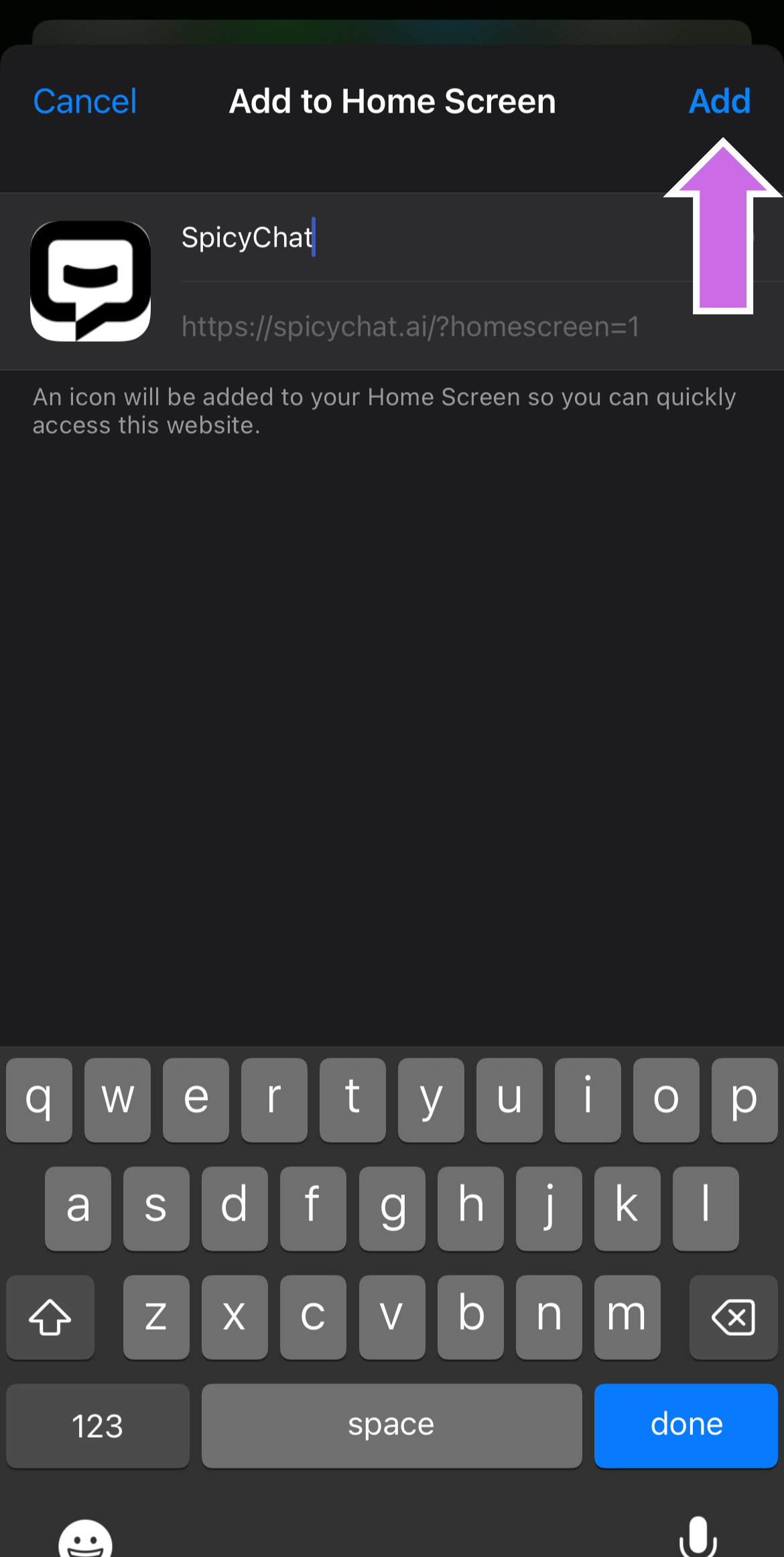
For the closest experience to the iOS app, we recommend adding SpicyChat to your mobile devices homescreen:
{% stepper %}
{% step %}
Open Safari and go to[ ](https://spicychat.ai?utm_source=chatgpt.com)[spicychat.ai](http://spicychat.ai)
{% endstep %}
{% step %}
Tap the **Share** icon.
{% endstep %}
{% step %}
Select **Add to Home Screen**.
{% endstep %}
{% step %}
A SpicyChat icon will appear on your Home Screen, just like the app!
{% endstep %}
{% endstepper %}
---
# Agent Instructions
This documentation is published with GitBook. GitBook is the documentation platform designed so that both humans and AI agents can read, navigate, and reason over technical content effectively. Learn more at gitbook.com.
## Querying This Documentation
If you need additional information that is not directly available in this page, you can query the documentation by asking a question.
Perform an HTTP GET request on the following URL with the `ask` and `goal` query parameters:
```
GET https://docs.spicychat.ai/ios-app-notice.md?ask=&goal=
```
`ask` is the immediate question: it should be specific, self-contained, and written in natural language.
`goal` is what the user is ultimately trying to achieve, the reason they need the answer. Sharing it helps GitBook give you a better, more relevant answer. A goal is most helpful when it describes the outcome the user wants rather than restating the question. For example, with `ask=how do I create an API token`, a goal like `automate deployments from our CI pipeline` lets GitBook tailor the answer to that use case.
The response will contain a direct answer to the question and relevant excerpts and sources from the documentation.
Use this mechanism when the answer is not explicitly present in the current page, you need clarification or additional context, or you want to retrieve related documentation sections.